· Luis Moreno · business · 5 min read
Special hours on your Google listing: public holidays and Christmas
How to set special hours for public holidays and Christmas on your Google listing: steps, limits and mistakes. That way no customer arrives at a closed door.
Look.
The worst time for your Google listing to lie is Christmas.
Because it’s when most people search for you.
And when your hours change the most.
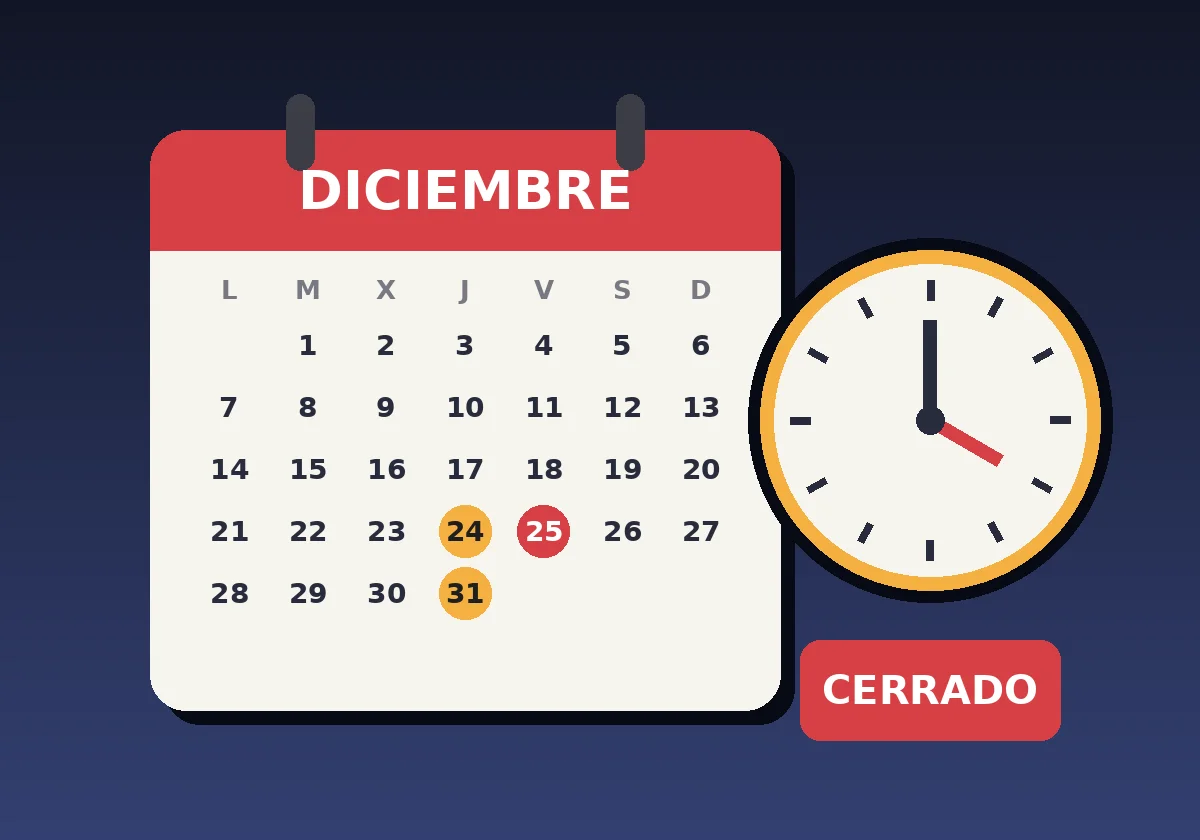
You close on the afternoon of the 24th.
On the 25th, closed.
On 6 January, half day.
And on Google the usual hours are still there.
The customer turns up at your door.
Closed door.
And doesn’t come back.
So here’s how to set the special hours on your listing.
Step by step.
With Google’s official help in front of you.
Short answer: how do I change my Google listing’s hours on public holidays?
Go into your listing, go to Edit profile, then Hours, and next to “Special hours” click the pencil.
There you add each date that changes and mark whether you open, and at what times, or whether you close.
Save.
According to Google’s help, special hours replace the regular ones only on those dates.
The rest of the year, your usual hours.
What are special hours on a Google listing and when should you use them?
What special hours are and how they differ from regular hours
It’s a schedule that applies to specific days.
It doesn’t change your usual hours.
It covers them only on those days.
Google defines it for when you change your hours “for a short period”.
Public holidays.
Events.
Exceptional circumstances.
When to add them according to Google
Google’s help says to add them if your hours are going to change temporarily.
Or if you’re going to close for six days in a row at the very least.
And there’s a detail almost nobody does.
Google recommends also confirming official public holidays when you open with your normal hours.
Even if nothing changes.
So the customer sees it’s fine.
Think of the sign on the door.
The one that says “Open today” even though it’s Tuesday.
It reassures.
Step by step: how to set special hours on your Google listing
The six steps from Google Business Profile
- Go to business.google.com.
- Click Edit profile and then Hours.
- Next to “Special hours”, click Edit, the pencil.
- Choose the date: Review to confirm the ones Google suggests, or Add a date for your own.
- If you open, untick “Closed” and enter opening and closing times. If you close, leave “Closed” ticked.
- Save.
That.
Five minutes.
What to do if you open in two time slots, for example morning and afternoon
Imagine a haberdashery that opens 10:00 to 14:00 and 17:00 to 20:00.
On the 24th it opens only in the morning.
You enter the morning.
And done.
If you need two slots, there’s an option to add another period.
How to change lots of dates at once with a spreadsheet
If you have many dates, Google lets you upload special hours in bulk with a spreadsheet.
In the special hours column, each date goes in this format: year-month-day, a colon, and the hours.
To close the whole day, an X.
Then you import the file.
Limits and details worth knowing
A special schedule can’t exceed 24 hours
Each special schedule has to last 24 hours at most.
If it crosses midnight, it’s split into two entries.
And on the second day the special is used, not the regular one.
If you close for a week or more, it isn’t special hours
For closures of seven days or more in a row, the page itself recommends something else.
Marking the business as temporarily closed.
It’s another option on the listing.
And another Google help page.
Your regular hours must be set to “Open”
There’s one condition.
For the special hours to show, your business must have “Open with main hours” assigned in the opening hours.
If not, it doesn’t appear.
Mistakes I see with Christmas hours
Remembering on the 23rd
Public holidays are prepared beforehand.
You can get it done today.
And forget about it.
Announcing only on Instagram
A business in Burgos announced its Christmas campaign on Meta with its hours in detail.
And it ended with one sentence: “Check changes of hours and public holidays on Google”.
I saw this in the Meta Ad Library on 5 November 2026.
They say so themselves.
The customer looks on Google.
If Google doesn’t say it, it doesn’t matter what your story says.
Thinking the website’s hours are enough
Your website says one thing.
Your listing, another.
And on the door, a third.
The customer trusts the first one they see.
One single version.
And the same everywhere.
Common questions about Google special hours
Can I set special hours for the day of an event?
Yes.
Google’s help provides for public holidays, special events and other exceptional circumstances.
Are special hours deleted when the date passes?
The help page doesn’t explain it.
What it does say is that the special schedule only applies to the days indicated.
How long does the change take to show?
Google gives no timeframe on that page.
That’s why you shouldn’t leave it to the last day.
Does this make me rank higher on Google?
No.
It prevents the customer making a mistake.
Ranking depends on other things.
Review your listing’s hours in five minutes
Five questions before Christmas arrives
- Have you added the 24th, 25th, 31st and 1 January?
- And 6 January (Epiphany, a public holiday in Spain)?
- Does it match what your website and your door say?
- Have you confirmed the public holidays when you open as normal?
- Closing for a week or more? Then, temporarily closed.
If you fail two, you have work.
If you want to see the rest of the listing, there’s the Google Business Profile guide for businesses.
If the category isn’t right, start by choosing your Google listing’s category well.
And to see your whole business on Google at a glance, there’s a two-minute audit with your phone.
Sources
- How to set special hours, Google Business Profile help, accessed on 5 November 2026. The page shows no visible update date.
- Edit your Business Profile, Google Business Profile help, accessed on 5 November 2026.
- Meta Ad Library, search “horario navidad google” in Spain, active ads from Garden Center Fredesval (Burgos), accessed on 5 November 2026.
Quick summary
- Special hours cover the regular ones only on the dates you indicate.
- Edit profile, Hours, Special hours.
- 24 hours maximum each.
- Closed seven days or more, temporarily closed.
- Also confirm the public holidays when you open as normal.
- The same version on the listing, website and door.
Do it today.
And then tell me.
Whether your listing says the same as your door.
If you’d like us to review it together, message me on WhatsApp.
Tell me what business you have and which days your hours change.
And I’ll tell you what I’d set.
PS: Let’s go.